
Apple publishes one number about its own review process that most teams never read. On average, over 40% of unresolved App Review issues sit under Guideline 2.1, App Completeness. Not policy violations. Not content bans. Incomplete submissions.
Google does not publish an equivalent figure, but the pattern on our side of the fence looks the same. App Store & Play Store rejection reasons in 2026 are rarely about your idea. They are about a missing declaration form, a deletion button nobody built, or an SDK that shipped without a privacy manifest.
Quick Answer: Why Apps Get Rejected in 2026
- Apple’s biggest bucket is Guideline 2.1, over 40% of unresolved issues
- Missing in-app account deletion still triggers rejections under 5.1.1(v)
- Google needs both an in-app deletion path and a web deletion link
- Privacy manifests are required for every third-party SDK
- New Play submissions must target Android 16 from 31 August 2026
- Lending, health, and dating apps face country-specific licence checks
- Undisclosed AI data sharing now breaches Apple Guideline 5.1.2(i)
What are the most common App Store and Play Store rejection reasons in 2026?
Here is the full list we work through before any client build goes to review, with the guideline reference and how long each one usually takes to clear.
| Rejection reason | Store | Reference | Typical fix time | |
| 1 | Crashes, placeholder content, dead links | Apple | 2.1 | 1 to 3 days |
| 2 | Missing or broken demo credentials | Apple | 2.1 | Same day |
| 3 | Forced registration with no guest path | Apple | 5.1.1 | 3 to 7 days |
| 4 | No in-app account deletion | Apple | 5.1.1(v) | 5 to 10 days |
| 5 | No web deletion link, Data safety mismatch | User Data policy | 2 to 5 days | |
| 6 | Missing privacy manifest in an SDK | Apple | ITMS-91061 | 1 to 14 days |
| 7 | Undisclosed third-party or AI data sharing | Apple | 5.1.2(i) | 3 to 7 days |
| 8 | Photo and video permissions without declaration | Photo and Video Permissions | 2 to 5 days | |
| 9 | Background location without justification | Location Permissions | 5 to 14 days | |
| 10 | Contacts, storage, SMS, or package overreach | Restricted Permissions | 3 to 10 days | |
| 11 | Financial declaration or licence gaps | Both | Financial Services | 2 to 6 weeks |
| 12 | Age rating and age assurance gaps | Both | 1.2.1(a), Age-Restricted Content | 1 to 3 weeks |
| 13 | Metadata, screenshots, brand misuse | Apple | 2.3, 4.1(c) | Same day |
| 14 | Outdated SDK or target API level | Both | Xcode 26, API 36 | 3 to 10 days |
Notice the shape of it. Only two of the fourteen are code defects. The rest are declarations, disclosures, and paperwork that nobody writes into a sprint ticket.
Why does Guideline 2.1 cause more Apple rejections than anything else?
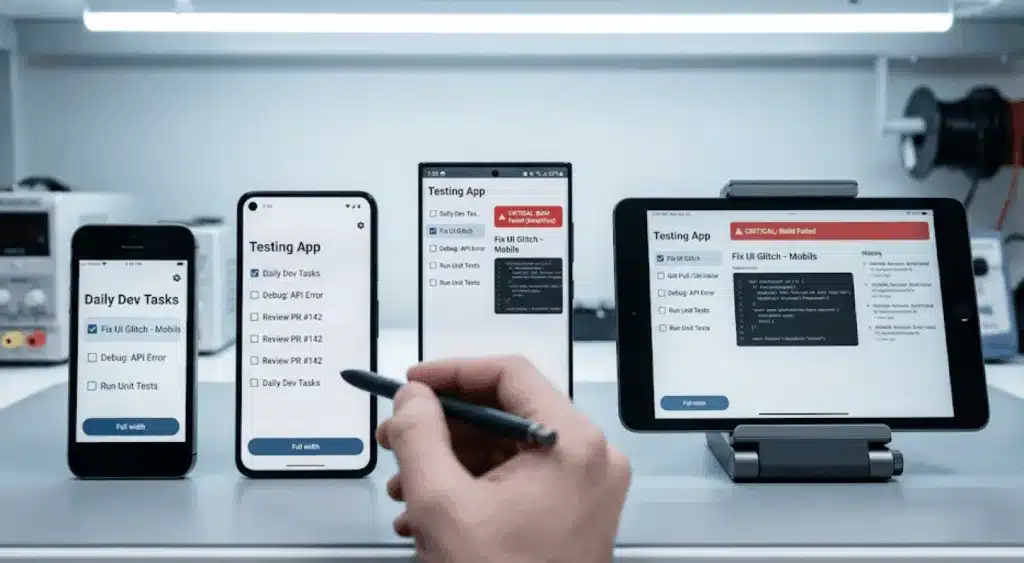
Guideline 2.1 covers app completeness, and it catches a wider net than the name suggests. A single crash on a device model you did not test counts. So does a settings screen still carrying lorem ipsum. So does a support link that opens a 404, or a backend that goes down for maintenance during the review window.
The pattern we see most often involves screen sizes. Teams test on the simulator and one physical device, usually whatever the lead developer carries. The reviewer opens it on an iPhone SE with a home button, or an iPad in landscape, and a modal traps them with no visible dismiss control.
The fix is unglamorous. Run TestFlight builds across at least four physical device profiles before submission. Keep staging and production separated so a deploy cannot take your API down mid-review. Walk the full first-run flow on a clean device install, tapping every link, including the privacy policy and support URLs in your App Store Connect metadata.
What demo account and guest access does Apple actually require?
If any feature sits behind a login, Apple needs working credentials in the App Review Information section. Reviewers will not create their own account, and they will not wait while you fix one.
Four details cause repeat failures here:
Credentials for every role
If your app has an admin view, a driver view, and a customer view, supply all three. A reviewer who cannot reach a feature described in your listing will reject under 2.1.
Two-factor blocks the reviewer
SMS or authenticator prompts on the demo account will stall review. Disable it for that account, or provide a bypass code in the review notes.
Credentials that expire
We have seen accounts auto-purged by a cleanup job three days after submission. Exclude the review account from any retention or inactivity policy.
A demo mode when credentials cannot be shared
For regulated products where a real account cannot legally be handed over, build a demo mode that exposes the full feature set with synthetic data, then document it in review notes.
Guest access is a separate question, and teams get it backwards. Guideline 5.1.1 does not just permit guest browsing. It restricts you from requiring registration for content and features that are not tied to a specific user. A recipe app that gates the recipe list behind a signup wall will be rejected. Registration has to be optional, or tied to features that are specific to that account.
Why do apps get rejected for missing account deletion?

This one has been enforced since June 2022 and still lands in our rescue queue most months. Both stores require it. They require different things.
What Apple requires under Guideline 5.1.1(v)
Deletion must start inside the app. A mailto link, a support phone number, or a “contact us to close your account” page does not satisfy it. There has to be a button.
Deactivation does not count. Suspending the account, hiding the profile, or flagging the row as inactive will fail review. The account record and the personal data attached to it have to go.
If you offer Sign in with Apple, you must revoke user tokens through the Sign in with Apple REST API. This is the detail most teams miss, because revocation needs the refresh token you received at sign-in time. If you never stored it, you cannot revoke, and you will be rebuilding your auth persistence layer under deadline pressure.
Guest and anonymous accounts count too. Firebase anonymous users and Supabase anonymous sessions create real rows in your database, and those rows need a deletion path.
Two more traps. If a webview finishes the flow, your in-app button has to deep link to the completed deletion page, not to your marketing homepage. And if the user holds an active auto-renewable subscription, deleting the account does not cancel it, because Apple owns the billing relationship. You have to tell them to cancel separately through Settings.
Highly regulated industries covered by Guideline 5.1.1(ix) may add a customer service confirmation step. Banks, HIPAA-covered health apps, and brokerages with KYC obligations qualify. Most products do not.
What Google Play requires
Google asks for two paths, not one.
The first is the in-app path: a way for users to delete their account and associated data from inside the app. The second is a web link where someone can request deletion without reinstalling the app and logging back in. That link goes into the Data deletion field of your Data safety form in Play Console, and it surfaces on your store listing.
The web page itself has requirements. It must state the steps to request deletion, which data types get deleted, which get kept, and any retention period. If you retain records for fraud prevention or regulatory reasons, disclose that in your privacy policy.
If you offer partial data deletion without full account deletion, that needs its own separate link. And the data deletion badge on your listing only appears once your Data safety form, including the deletion questions, has been approved.
What privacy disclosures do Apple and Google demand before approval?

Privacy is where 2026 diverges sharply from 2022. The stores no longer take your word for what you collect.
On the Apple side, approved reasons have been required since 1 May 2024 for a specific list of APIs, including any calls made from inside third-party SDKs. Since 12 February 2025, privacy-impacting SDKs must ship their own privacy manifest. If a new app bundles one without a manifest, or an update adds one, the upload fails with error ITMS-91061 before a human ever opens it.
That last point matters more than it sounds. This is an upload-time block, not a review decision. You cannot argue it in the Resolution Center. You have to audit your Podfile or Package.swift, identify which dependency is behind, and wait for its maintainer to ship a compliant version or replace it.
Your App Privacy labels then have to match reality. If your labels say you do not collect identifiers while your analytics SDK sends the IDFV on launch, that is a mismatch a reviewer can spot in a network trace.
On the Google side, the Data safety form carries the same burden. Every data type, every collection purpose, every sharing relationship, declared and kept current. Both stores require a privacy policy reachable from the store listing and from inside the app, on a live URL that specifically covers this app.
How are the stores treating data reuse and AI data sharing?

This is the shift worth planning around. Collecting data lawfully is no longer sufficient. Both stores now police what happens to it afterwards.
Apple’s guideline revision of 13 November 2025 added 5.1.2(i), which requires you to clearly disclose where personal data will be shared with third parties, including third-party AI, and to obtain explicit permission before doing so. If your app pipes user content to an external model for summarisation, classification, or generation, you owe the user a named disclosure and a consent step. “We use AI to improve your experience” does not name a provider.
Google runs the same logic through several policies at once:
Restricted permissions
Data accessed through them may never be sold, nor shared for a purpose facilitating sale. If you want to use it for a new purpose later, you must ask again and get affirmative agreement.
Health Connect
Data may not be transferred or sold to advertising platforms or data brokers, may not feed personalised advertising, and may not be used to determine creditworthiness or for lending. You also have to publish user documentation explaining how people manage and delete their data, and what happens when an account is deleted.
Play Age Signals API
Data may only be used to meet legal and regulatory obligations such as providing age-appropriate experiences. Advertising, personalisation, analytics, user profiling, and business intelligence are all prohibited uses. Sharing it with a third party is prohibited except where law requires it.
Installed app inventory
Data queried through package visibility may never be sold or shared for analytics or ads monetisation.
There is also a behavioural rule that trips up growth teams. If a user declines a restricted permission, your app must keep working and offer an alternative, such as manual entry. Pressuring, nagging, or trapping users into granting access is itself a policy violation.
What extra rules apply to apps with wallets and payments?

Every developer with a published Play app must complete the Financial features declaration in Play Console. That includes apps sitting on closed testing and open testing tracks, not just production.
If your app includes personal loan features, you must name your lending partners and their relationship to your business in every country you target, and upload proof of a valid licence in each country where the Financial Services policy demands one.
Loan and credit apps are also barred from requesting sensitive permissions such as contacts and photos. The history behind that rule involves debt-shaming collection tactics, and Google enforces it without much appetite for discussion.
Apple tightened its side in the same November 2025 revision. Guideline 3.2.2(ix) now caps loan APR at 36% including all costs and fees, and prohibits requiring full repayment in 60 days or less. Guideline 5.1.1(ix) added crypto exchanges to the list of highly regulated fields, which means the app must be submitted by the licensed entity itself or its authorised representative, not by a development agency or a holding company.
Before you submit, get the paperwork audited
Most of what we have covered so far is not code. It is forms, declarations, licence documents, and disclosure text, and it is the part that turns a two-day review into a six-week loop.
We run a pre-submission compliance audit against both stores: every declaration form, every permission in your merged manifest, your Data safety answers, your privacy manifest chain, and your deletion flows. Send us your build and your Play Console access, and you get a written findings list back. Most clients receive a detailed project roadmap within 2 hours of first contact. See our custom mobile app development work, or talk to us about compliance management services if you are shipping into regulated markets.
Which Play Store rejection reasons come from contacts, location, and photo permissions?

Permission by permission, here is the current position.
Photos and video
Apps targeting Android 13 or later (API level 33+) may only request READ_MEDIA_IMAGES and READ_MEDIA_VIDEO if the Android Photo Picker cannot support your core functionality. If you still request them, you owe Play Console a declaration explaining why the picker is insufficient. A common trap: a Flutter or React Native package injects these permissions into your merged manifest without you writing a line of code. Check the merged manifest in Android Studio, not just your own manifest file.
Location
Request the minimum scope: coarse before fine, foreground before background. Background access needs a Play Console declaration covering exactly one feature, plus a video showing that feature in use and showing your prominent disclosure dialog. Declaring multiple features causes rejection, because Google evaluates one at a time. Location may never be requested solely for advertising or analytics, and may not be sold.
SMS and call log
Your app must be actively registered as the default SMS, Phone, or Assistant handler. Apps without that capability may not even declare these permissions in the manifest, including as placeholder text. For OTP autofill, use the SMS Retriever API instead.
All files access
MANAGE_EXTERNAL_STORAGE requires passing an access review before publishing, and you must clearly prompt users to enable All files access under Special app access. Storage Access Framework and MediaStore are the preferred routes, and reviewers will ask why you did not use them.
Package visibility. QUERY_ALL_PACKAGES is restricted to cases where awareness of every app on the device is actually required. If targeted package queries would work, use those.
Accessibility API
It cannot be used for remote call audio recording, and it cannot be used by an app that autonomously initiates, plans, and executes actions or decisions. Anyone building an agentic Android product should read that sentence twice. The isAccessibilityTool=true flag is only for genuine disability support tools.
Body sensors
From Android 16, apps must migrate off the broad BODY_SENSORS permission to granular ones such as android.permission.health.READ_HEART_RATE, READ_OXYGEN_SATURATION, and READ_SKIN_TEMPERATURE. This applies across phones, tablets, and Wear OS.
Exact alarms and full-screen intents
USE_EXACT_ALARM is auto-granted only to alarm, timer, and calendar apps. USE_FULL_SCREEN_INTENT on Android 14+ is auto-granted only for alarms and incoming calls. Everything else needs user consent or a declaration.
What changes on 27 January 2027
Two updates are already published and worth designing for now, since anything you build this year will still be live then.
Google is introducing a Contacts Permissions policy. Apps that do not need broad contacts access will have to use the Android Contact Picker instead. Separately, the location button becomes the recommended minimum scope for precise location under the updated Location Permissions policy.
If you are architecting a contacts feature today, build it against the picker. Retrofitting it later means reworking your onboarding.
Which country’s rules changed? what you must submit?

The same binary can pass in one market and be removed in another.
| Country or region | What changes | Applies to |
| India | Personal loan apps must appear on the RBI list “DLAs Deployed by Regulated Entities”. Required for all new personal loan apps published since 30 October 2025. Existing apps had until 28 January 2026. Your Play Console financial declaration must match, and all registered NBFCs and banks must be named in the app description. | Lending, BNPL, credit |
| India | DPDP Rules 2025 apply. Children are anyone under 18, verifiable parental consent is required, and tracking, behavioural monitoring, and targeted advertising aimed at children are prohibited. Consent Manager registration opens around November 2026. Full compliance falls due 13 May 2027. Penalties reach ₹250 crore per violation category. | Every app with Indian users |
| Nigeria | Personal loan apps need a verifiable approval letter from the FCCPC, plus the Play declaration form. | Lending |
| Kenya | Personal loan apps need proof of a Central Bank of Kenya digital credit provider licence, or evidence of a pending application. | Lending |
| Indonesia, Philippines | Additional licensing documentation required under Play’s Financial Services country requirements. | Lending |
| European Union | DSA trader status must be provided and verified, or the app is removed from the EU App Store. Required for EU app updates since 16 October 2024, and for continued availability since 17 February 2025. | Every app distributed in the EU |
| United States, Texas | Age assurance obligations live since 1 January 2026. Play Age Signals returns live responses from that date. | Apps reachable by minors |
| United States, Utah | Live from 7 May 2026. | Apps reachable by minors |
| United States, Louisiana | Live from 1 July 2026. | Apps reachable by minors |
Beyond geography, app category drives its own requirements. Health and fitness apps accessing Health Connect must fall inside an approved use case and must produce HIPAA or GDPR agreements on request. Dating, matchmaking, and real money gaming apps must use Play Console features to block minors under the Age-Restricted Content and Functionality policy. Apps sending user data to an external model owe a named disclosure under Apple’s 5.1.2(i).
What do age rating and age verification rules require now?
Apple rebuilt its age rating system and moved every app onto it on 31 January 2026, adding 13+, 16+, and 18+ tiers. Developers had to answer the updated questionnaire in App Store Connect by that date. Apps that skipped it get flagged when they next submit an update, which is a nasty surprise for a team shipping a hotfix.
From 4 June 2026, Apple exposes age category data through the Declared Age Range API, with significant changes reported through the Significant Change API under PermissionKit. The App Store also sends a server notification when a parent or guardian withdraws consent. Apple is explicit that deciding what counts as a significant change is your responsibility, not theirs.
Guideline 1.2.1(a), added in November 2025, requires creator apps to let users identify content that exceeds the app’s age rating and to restrict access using verified or declared age. Guideline 4.7.5 extends the same duty to mini apps and mini games that are not embedded in the binary.
On Android, the equivalent plumbing is the Play Age Signals API, which returns verification status, supervision status, and age ranges. We covered the integration steps, the Fake Age Signals Manager for testing, and the Play Console workflow in our Play Age Signals API implementation guide.
Why do metadata and store listings get apps rejected?
Metadata rejections are the cheapest to fix and the most annoying to receive, because they cost a full review cycle over something a proofreader would catch.
Screenshots must show your actual interface on the device type they represent. Marketing mockups, floating device frames, and splash screens get bounced. App names and subtitles are capped at 30 characters. Keyword stuffing in the description, pricing claims, and comparisons to competitor products all attract attention.
Guideline 4.1(c), added in November 2025, prohibits using another developer’s icon, brand, or product name in your app icon or name without their approval. That catches a lot of integration apps and companion tools that lean on a bigger brand for discovery.
Avoid “coming soon” language describing features not in the build. If it is not in the binary, it is not in the description.
Why do apps get pulled for outdated SDKs and target API levels?
Two deadlines, two very different failure modes.
Apple’s is a hard block at upload. Since 28 April 2026, anything uploaded to App Store Connect must be built with Xcode 26 or later using an iOS 26, iPadOS 26, tvOS 26, visionOS 26, or watchOS 26 SDK. Older build pipelines fail before review begins. If your CI runner image is pinned to an older Xcode, that is the first thing to check.
Google’s is quieter and more damaging. From 31 August 2026, new apps and app updates must target Android 16 (API level 36) to be submitted. Wear OS and Android Automotive apps must target API 35. Android TV and Android XR apps must target API 34. Existing apps must target at least API 35 to remain available to new users on devices running a newer Android version.
No rejection email arrives for that second rule. Your app simply stops appearing for new users on newer devices. Installs flatten, nothing in your crash dashboard changes, and the cause is invisible unless somebody is watching Play Console policy status. An extension to 1 November 2026 can be requested through Play Console, but that is a buffer, not an exemption.
The real work is rarely the version bump. Android 16 changes adaptive layout behaviour on screens 600dp and wider, where apps targeting API 36 can no longer lock orientation or aspect ratio, and the edge-to-edge opt-out is gone. A portrait-locked phone app suddenly filling a tablet in landscape is a design problem, not a Gradle edit.
What technical mistakes cause repeat rejections?

These are the ones we see again and again on rescue projects, particularly on codebases assembled quickly by AI coding tools that scaffold the signup screen and stop there. We wrote separately about who fixes vibe-coded apps when the first store submission goes badly, and the same gaps show up whether the code came from a freelancer or from an agentic IDE like Google Antigravity.
| Mistake | What the rejection says | The fix |
| Deletion button hides the account instead of removing it | “Your app supports account creation but does not include an option to initiate account deletion” | Delete the user row and dependent data, then confirm in-app |
| Sign in with Apple tokens never revoked | Same 5.1.1(v) notice, on a second attempt | Store the refresh token at sign-in, call the revoke endpoint on delete |
| Dependency injects media permissions | “Photo and Video Permissions policy” citing READ_MEDIA_IMAGES | Inspect the merged manifest, remove with tools:node=”remove” or switch to the Photo Picker |
| Background location declared for three features | “Feature does not meet requirements for background location access” | Declare one core feature, record a fresh demo video |
| Third-party SDK without a privacy manifest | ITMS-91061 at upload | Update the SDK, or replace it if the maintainer is inactive |
| Data safety form contradicts app behaviour | Policy warning, then removal | Re-audit every network call, then rewrite the form |
| Demo account locked by 2FA | “We were unable to sign in” under 2.1 | Exempt the review account, add a bypass note |
| Analytics SDK collecting identifiers not on the privacy label | 5.1.1 privacy mismatch | Reconcile labels against an actual network trace |
How do we prepare an app for review before submitting?

Our pre-submission process at Sigosoft runs the compliance work as part of the build, not as a panic sprint the week before launch.
Security controls sit underneath it. We hold ISO/IEC 27001:2022 certification, independently assessed by QRO, covering the design, development, testing, deployment, maintenance, and support of web applications, mobile applications, cloud software, and data analytics platforms, including the management of client data. That certification is maintained under a formal Statement of Applicability with periodic surveillance audits, which means the controls get checked by someone other than us.
In practice, before a build goes to review we run secure code review, dependency and configuration checks with tracked remediation, and a permission audit against the merged manifest. Development, staging, and production stay segregated, so a deploy cannot take the API down while a reviewer is testing. Releases move through managed CI/CD pipelines rather than a laptop.
On the paperwork side, NDAs are executed before access to anything sensitive. Clients working in regulated sectors get a DPA aligned to GDPR, an IP Rights Agreement confirming who owns the code, and a Support and Maintenance SLA that answers the question every buyer should ask: who fixes this when Apple changes a rule six months after launch. All four documents are downloadable from our security and compliance page.
The declaration forms themselves get treated as deliverables with owners and due dates. Financial features declaration, background location declaration, photo and video declaration, Data safety form, App Privacy labels, age rating questionnaire. Every one of them has a named person and a completion date before the release branch is cut.
Rejected already, or submitting next week?
Send us the rejection email and your build. We will tell you which guideline is actually being enforced, what the reviewer is looking for, and what has to change in the code versus what only needs a form filled in correctly. If you have not submitted yet, we will run the same audit before you do, which is considerably cheaper than three review cycles. Reach the team on +91 9846237384 or through the contact page.
Frequently Asked Questions
Why was my app rejected for Guideline 2.1?
Guideline 2.1 covers app completeness. It catches crashes on untested devices, placeholder content like lorem ipsum, broken links, backends that went down during review, and missing demo credentials. Apple states over 40% of unresolved review issues fall here. Test on physical devices across screen sizes before resubmitting.
Do I need an account deletion option in my app?
Yes, if your app allows account creation. Apple requires an in-app deletion path under Guideline 5.1.1(v). Google requires both an in-app path and a web link where users can request deletion without reinstalling. Deactivation, suspension, or freezing an account does not satisfy either store.
What is a privacy manifest and do I need one?
A privacy manifest is a PrivacyInfo.xcprivacy file declaring what data your app collects and which required-reason APIs it uses. Apple has enforced approved reasons since May 2024. Since February 2025, privacy-impacting third-party SDKs must also ship manifests, or your upload fails with error ITMS-91061.
Can my app be rejected because of a third-party SDK?
Yes, and it happens often. An SDK without a privacy manifest blocks your upload entirely. A dependency can also inject permissions such as READ_MEDIA_IMAGES into your merged manifest without you writing any code, triggering a Google Play policy rejection. Audit dependencies before every submission.
Does my app need a guest login to pass Apple review?
Often, yes. Guideline 5.1.1 restricts you from requiring registration for content and features not tied to a specific user account. If people can browse, search, or read without an account, gating that behind a signup wall risks rejection. Registration must be optional, or tied to account-specific features.
What target API level does Google Play require in 2026?
From 31 August 2026, new apps and updates must target Android 16 (API level 36). Wear OS and Automotive apps need API 35, Android TV and XR need API 34. Existing apps must target at least API 35 to stay visible to new users. Extensions run to 1 November 2026.
Do I need different app versions for different countries?
Usually not different binaries, but different declarations and documentation. Lending apps need country licences from the RBI, FCCPC, or Central Bank of Kenya. EU distribution needs verified DSA trader status. Several US states now require age assurance. The build can be shared, the compliance evidence cannot.
How long does app store review take in 2026?
Review times vary by store, app category, and submission volume, and neither Apple nor Google guarantees a turnaround. The variable you control is completeness. A submission with working demo credentials, live policy URLs, accurate declarations, and no placeholder content moves faster than one that generates reviewer questions.
How many times can an app be rejected before it is banned?
Repeated rejection alone does not trigger a ban. Repeated policy violations of the same type can lead to app removal and, in serious cases, developer account termination. Address the actual cited guideline rather than resubmitting with cosmetic changes, and use the Resolution Center to ask for clarification.
Sources
- Apple Developer, App Review: https://developer.apple.com/distribute/app-review/
- Apple Developer, Upcoming Requirements: https://developer.apple.com/news/upcoming-requirements/
- Apple Developer, Updated App Review Guidelines, 13 November 2025: https://developer.apple.com/news/?id=ey6d8onl
- Apple Developer, Account deletion requirement: https://developer.apple.com/news/?id=12m75xbj
- Apple Developer Forums, ITMS-91061 missing privacy manifest: https://developer.apple.com/forums/tags/app-review
- Google Play Console Help, Target API level requirements: https://support.google.com/googleplay/android-developer/answer/11926878
- Google Play Console Help, App account deletion requirements: https://support.google.com/googleplay/android-developer/answer/13327111
- Google Play Console Help, Permissions and APIs that Access Sensitive Information: https://support.google.com/googleplay/android-developer/answer/16558241
- Google Play Console Help, Preview of the updated permissions policy: https://support.google.com/googleplay/android-developer/answer/16909972
- Google Play Console Help, Background location: https://support.google.com/googleplay/android-developer/answer/9799150
- Google Play Console Help, Financial features declaration: https://support.google.com/googleplay/android-developer/answer/13849271
- Google Play Console Help, Personal Loans in India: https://support.google.com/googleplay/android-developer/answer/16604194
- Google Play Console Help, Policy announcements: https://support.google.com/googleplay/android-developer/announcements/13412212
- Android Developers, Play Age Signals overview: https://developer.android.com/google/play/age-signals/overview
- Sigosoft, Security and Compliance: https://sigosoft.com/legal-compliance/
